See what's really
happening on your network
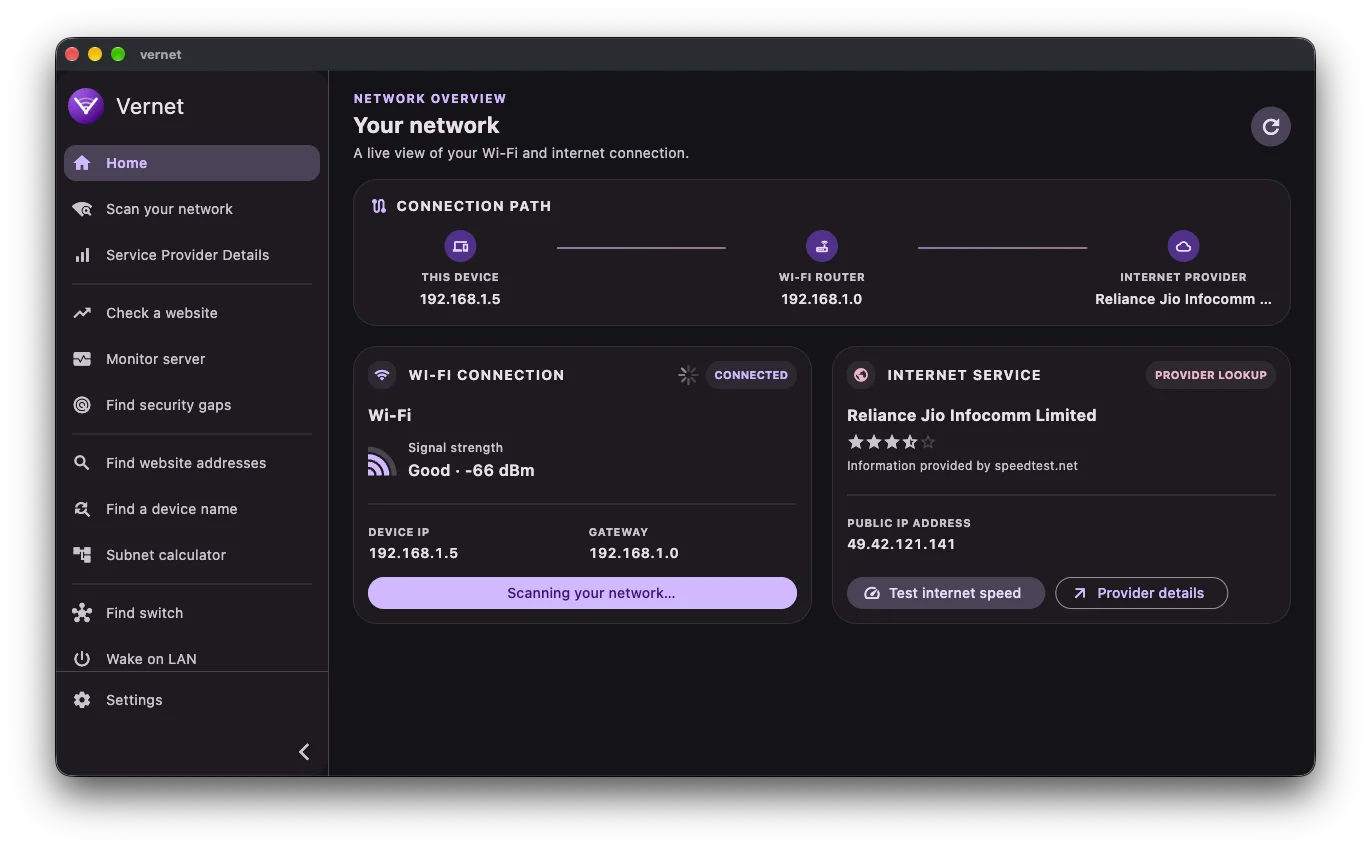
Discover devices, inspect device details, monitor servers, wake compatible devices, calculate IPv4 and IPv6 subnets, and run speed, port, ping, and DNS checks in one network utility.
 iOS
iOS 

The Google Play build contains ads to support development. F-Droid and GitHub builds are ad-free.
Everything you need to understand your network
No technical jargon. No confusing setup. Just clear answers about what's connected and how well it's working.
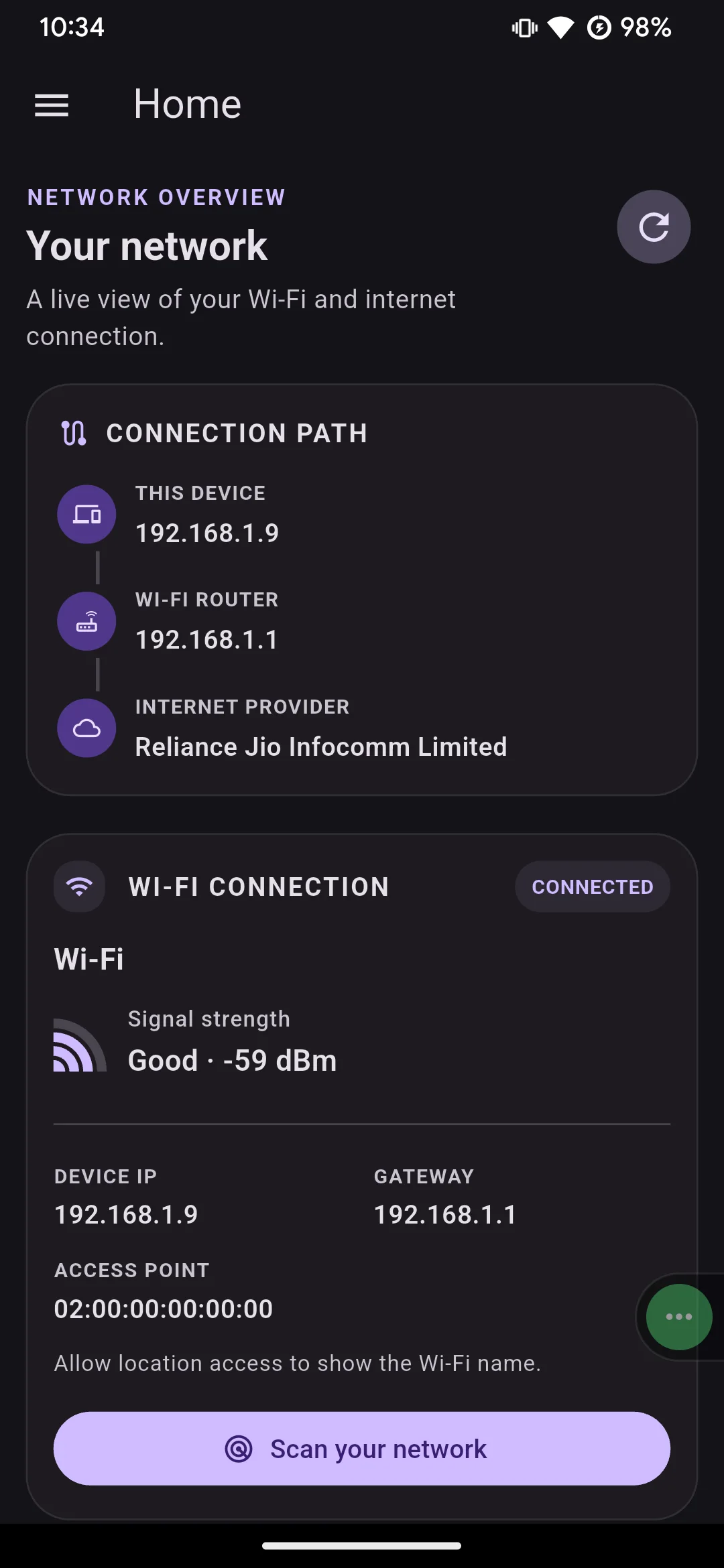
Wi-Fi details
See your Wi-Fi name, BSSID, local address, gateway, and subnet at a glance.
Find devices
Scan your network to find connected devices, and optionally start a scan whenever the app opens.
Device details
Inspect IP and MAC addresses, hostnames, mDNS names, and run quick port scans, ping checks, or Wake-on-LAN directly from any discovered device.
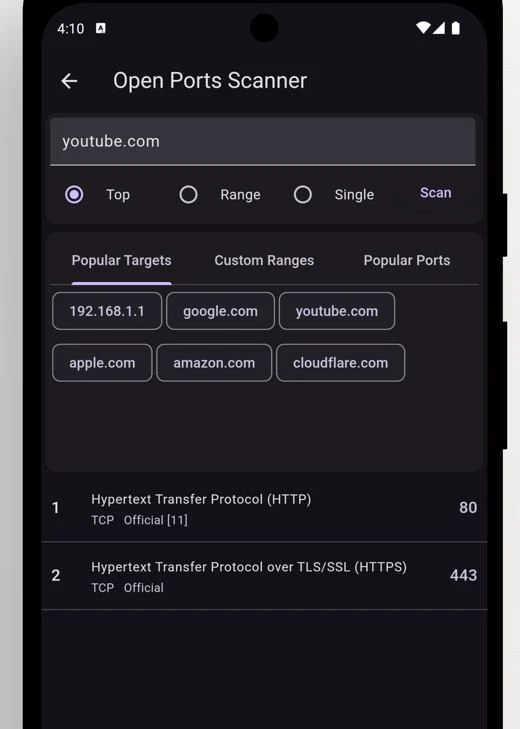
Open ports scanner
Check popular ports, a custom range, or a single port on any device or website.
Ping & DNS lookup
Check if a website or device responds, look up addresses, and find device names with reverse DNS.
Server monitoring
Check ICMP, TCP, HTTP, and HTTPS services, review uptime history, and get alerts when a server goes down.
IPv4 & IPv6 subnet calculator
Enter an address and CIDR prefix to see the network, mask, address range, and subnet size.
Wake on LAN
Send a Wake-on-LAN request to wake compatible devices on your network.
Switch discovery
Find connected devices reported by a switch using CDP or LLDP neighbor details.
Speed test
Measure your real download and upload speed whenever you need to.
ISP information
See your public IP and internet provider without digging through settings.
Scan notifications
Start device scans when the app opens and get notified when the results are ready.
Scan controls
Adjust scan ranges, ping count, and connection timeouts to suit your network.
Privacy controls
Choose whether Vernet can use internet access and location permission. Your location stays on your device.
No more guessing, just facts.
See how vernet takes care of your network
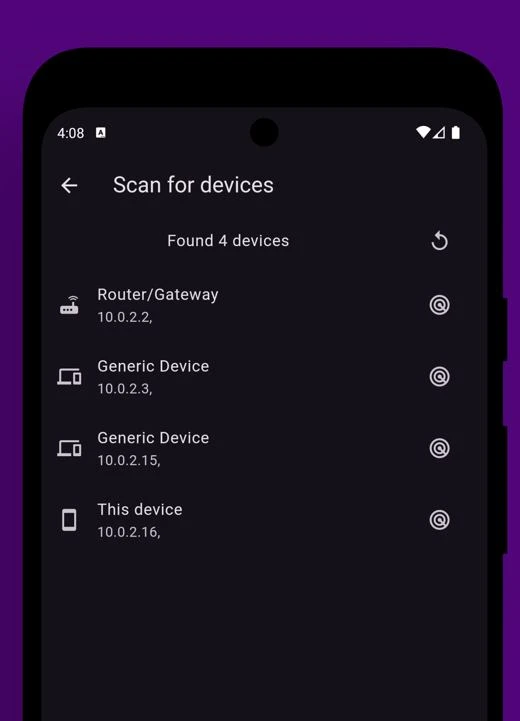
Find every device on your network in seconds
One tap starts a scan of your local network. Vernet lists every connected device — routers, laptops, phones, smart TVs — along with their address, so you always know what's using your Wi-Fi.
- Works over Wi-Fi, no extra setup required
- Shows device names and network addresses
- Spot unfamiliar devices at a glance
Check open ports on any device or site
Curious what services a device or website exposes? Scan the top ports, a custom range, or a single port, and see clear, plain-English results — no security expertise needed.
- Popular targets and common ports built in
- Custom ranges for deeper checks
- Useful findings, explained simply
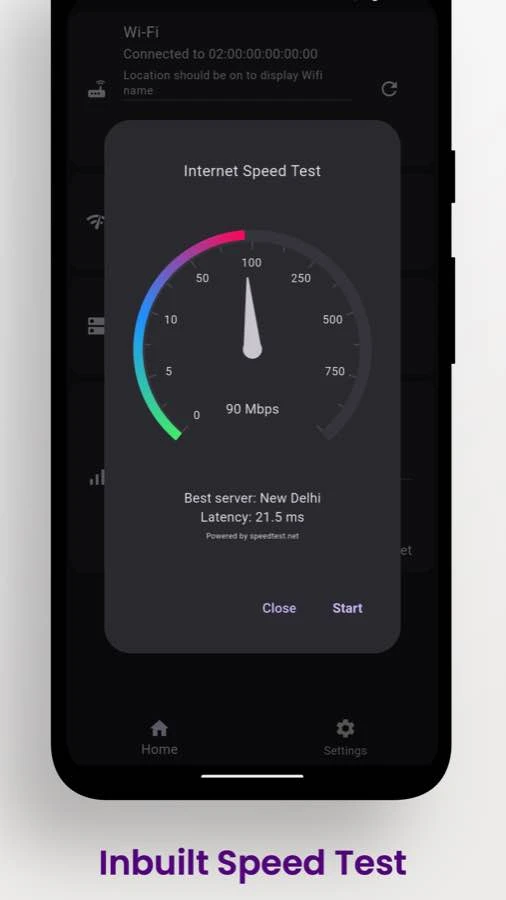
Test your internet speed in seconds
Run an inbuilt speed test to see how your connection is performing, right from Vernet.
- Check your download and upload speeds
- Watch results update as the test runs
- Run a fresh test whenever you need it
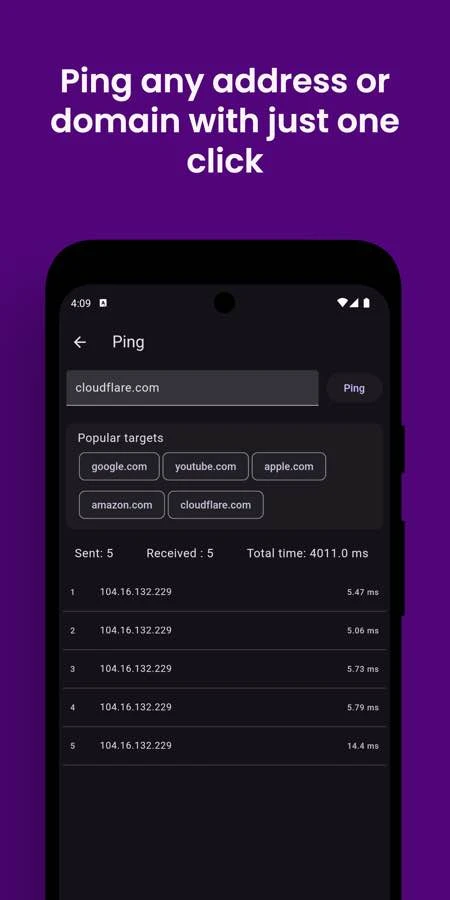
Ping a website and check if it responds
Enter a website or host to test whether it is reachable and see how quickly it responds.
- Test websites and network hosts
- See response times for each ping
- Spot connection delays or dropped replies
Choose your platform
Get Vernet from your preferred app store or find the latest desktop releases on GitHub. iOS is coming soon.
 Android
 Android (FOSS)
 Linux
LinuxFree, open source, and built in the open
The full source code is public on GitHub under the Apache License 2.0, for anyone to read, build, or modify. The Google Play build contains ads to support development; F-Droid and GitHub builds are ad-free. No account is required, and no data is sold.